
ACV Auctions · Seller Experience
Launching hundreds of cars
in a few clicks
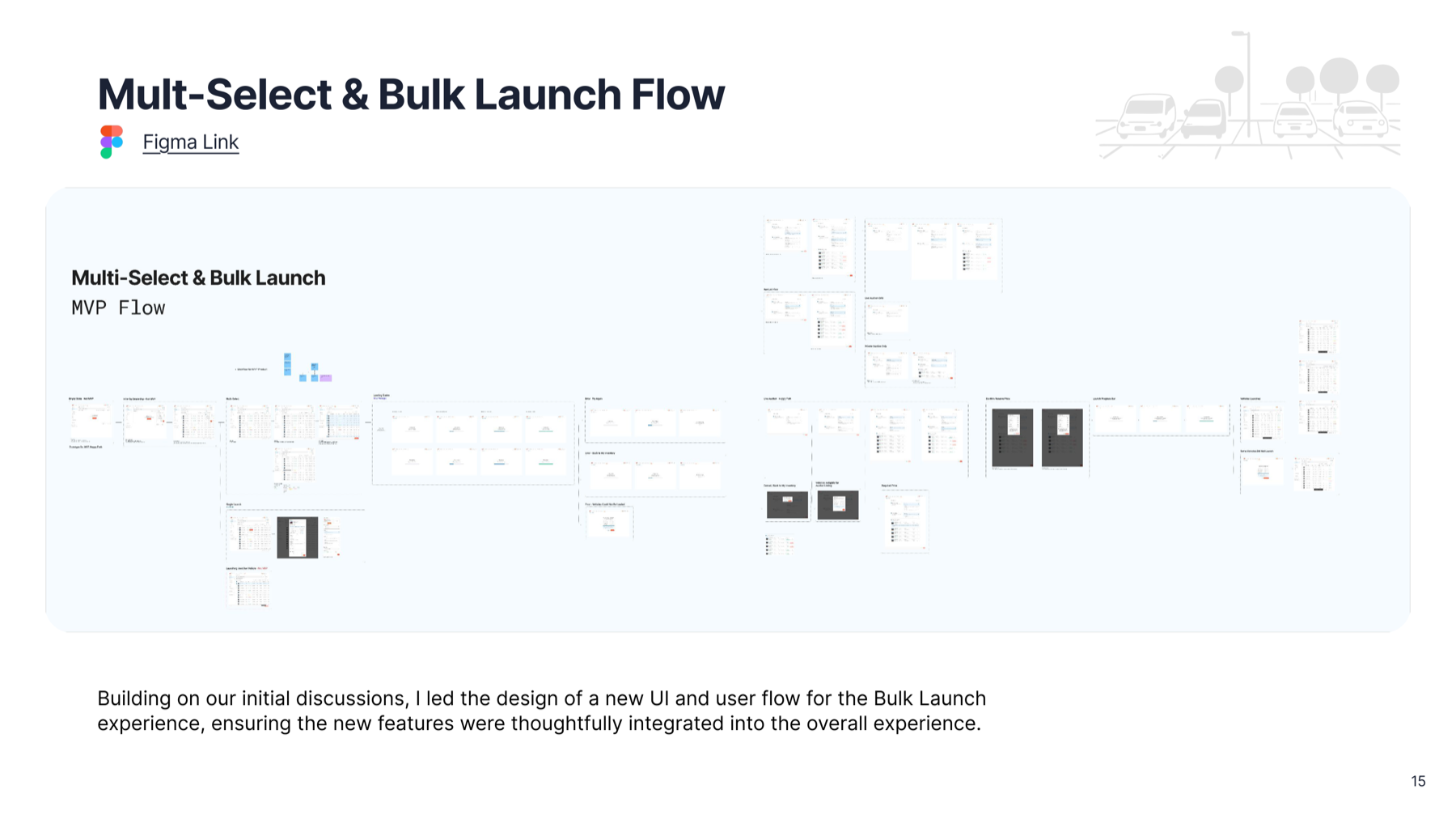
Sellers had to launch every vehicle into auction one at a time. For dealers moving hundreds of cars a day, that single piece of friction became the bottleneck. So I designed a way to select many and launch them at once.
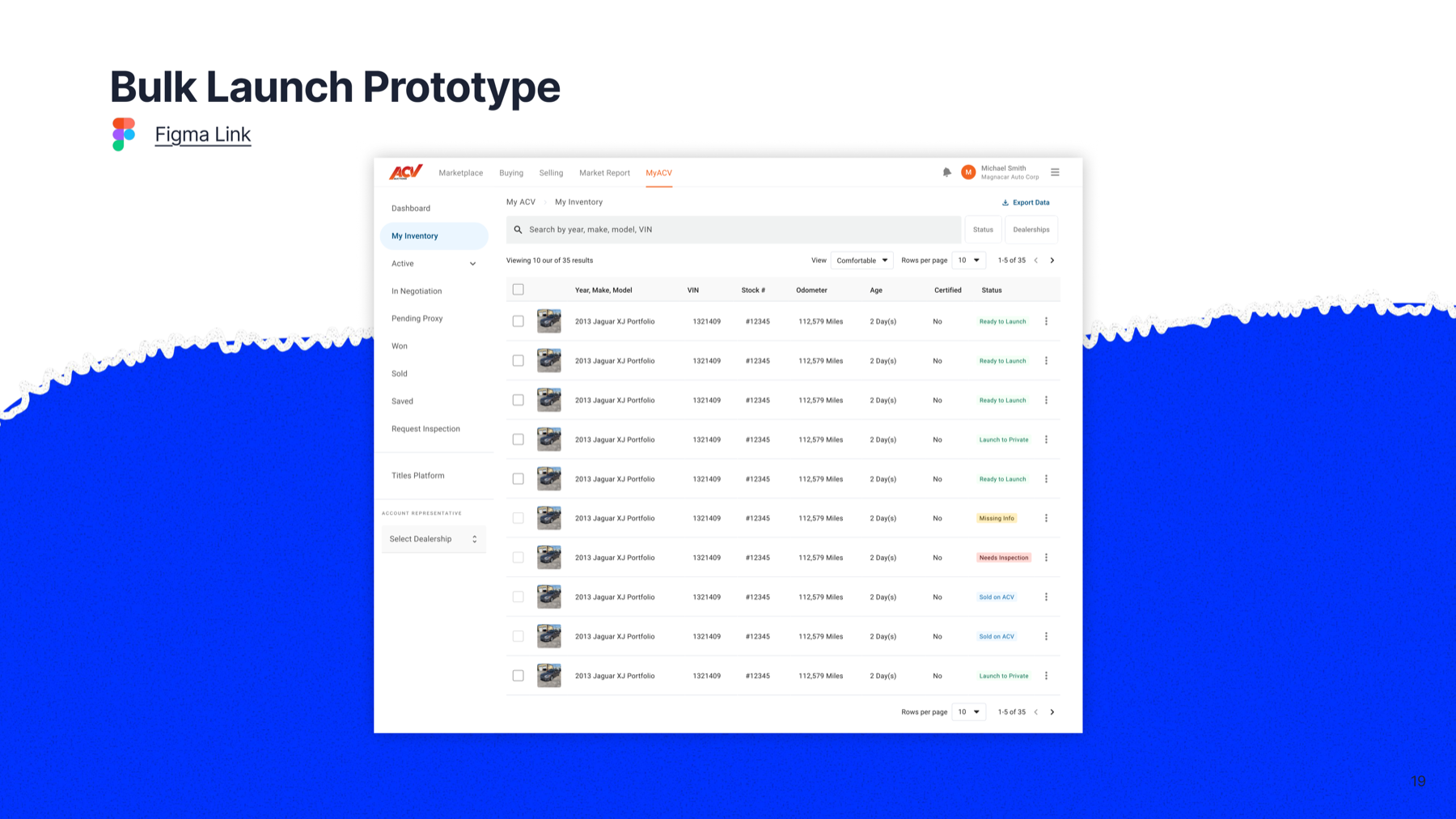
The working prototype — multi-select in My Inventory, then a single launch flow that applies pricing, location and condition across the whole set.
The opportunity
One vehicle at a time doesn’t scale.
Manual launching raised labor costs, slowed inventory velocity, and baked in error risk — capping how many enterprise sellers ACV could support. The fix wasn’t a faster screen; it was launching many at once.
The friction today
A launch ritual held together by spreadsheets.
- Export & email. Account managers filter My Inventory by one dealership, export a list, and email a 100+ row Excel sheet for reserve prices.
- Search by VIN. They search 5–10 VINs at a time, opening each vehicle into its own browser tab.
- Launch one by one. Each tab launched individually, cross-referencing the sheet — for every dealer, every sheet.
- Text, not photos. Rows of data with no images, and filters that only worked one dealership at a time.
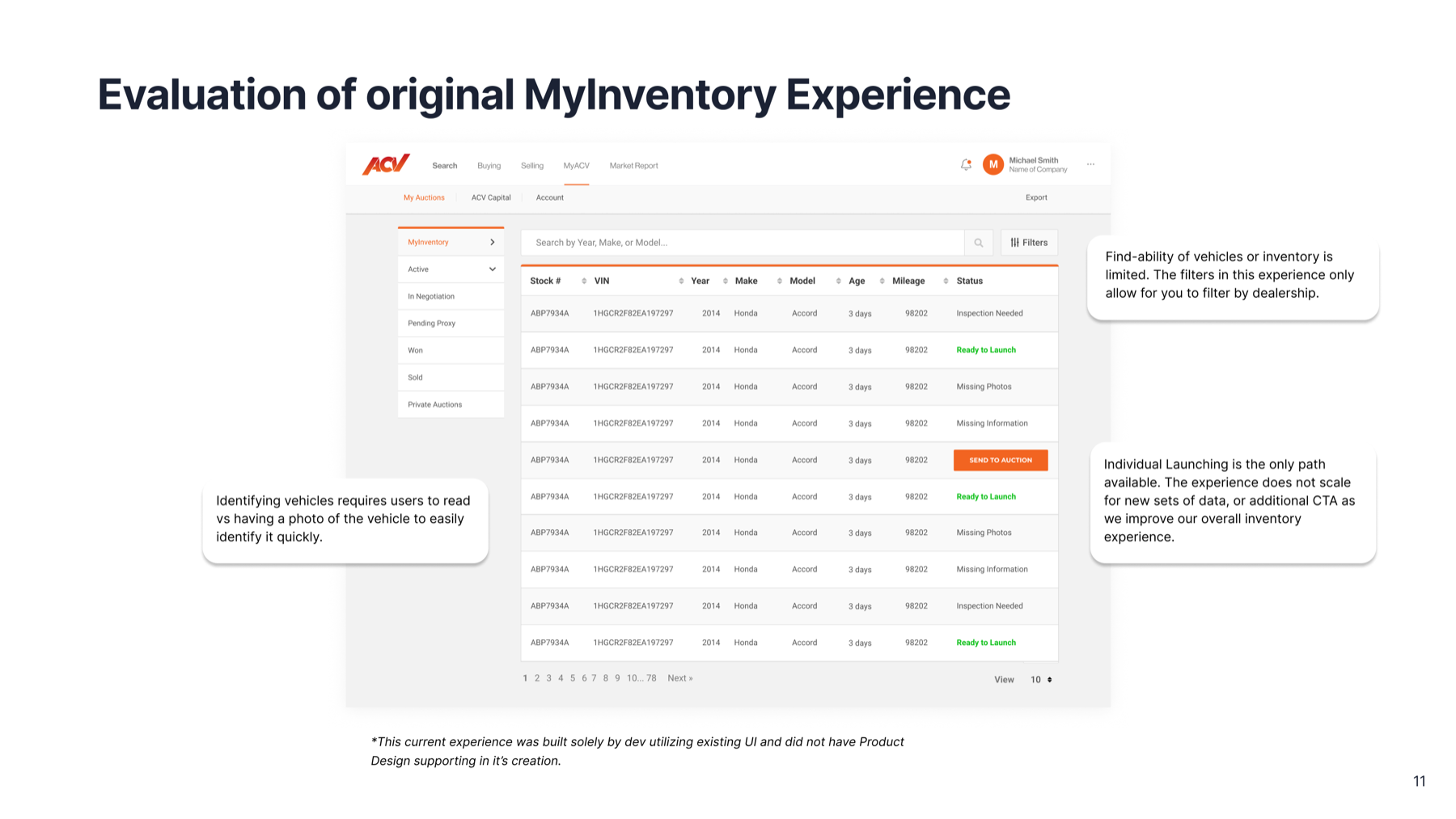
The experience asked the team to do all the work the platform should be doing.
Who launches inventory
Three sellers, three very different needs.
White-glove service for franchise & commercial dealers. Launches large volumes on dealers’ behalf — the workflow we set out to fix. Desktop only.
Inspect vehicles and build dealer relationships; sometimes asked to launch on a dealer’s behalf, where pricing mistakes strain trust. Mobile only.
Manage and sell their own inventory — lower volume, many other jobs, and little patience for tech that isn’t straightforward.
Where it gets complicated
Lanes and states have their own rules.
- VCI-inspected vehicles can launch to an Open or Private lane.
- Seller-inspected eligibility depends on the seller’s sell-thru rate and data.
- IMS-ingested, not inspected can only go to a Private lane until a VCI inspects it.
How might we help internal staff and dealers confidently manage inventory across varying states and rules — while cutting the friction and time to launch multiple vehicles at once? We chose to let users select one status type at a time: efficiency over status complexity.
What I designed
Select many. Launch once.
01 · Multi-select
Pick a set, send it together.
- Select many vehicles with a persistent action bar and a live count
- Send to Auction launches the whole set at once
- Only surfaces the launch options the selected set is eligible for
- Built on the team’s new Material 3 foundation so it can grow without rework
02 · Filter that scales
Across dealerships and statuses.
- Search and filter across more than one dealership at once
- Filter by inspection status, fed live from the inspection team
- Find the right vehicles fast instead of one dealership at a time
03 · Table ↔ card view
Manage it your way.
- Swap between a dense table and a photo-forward card view
- Identify a vehicle by its photo, not a row of text
- Density controls for power users moving in volume
04 · Set it once
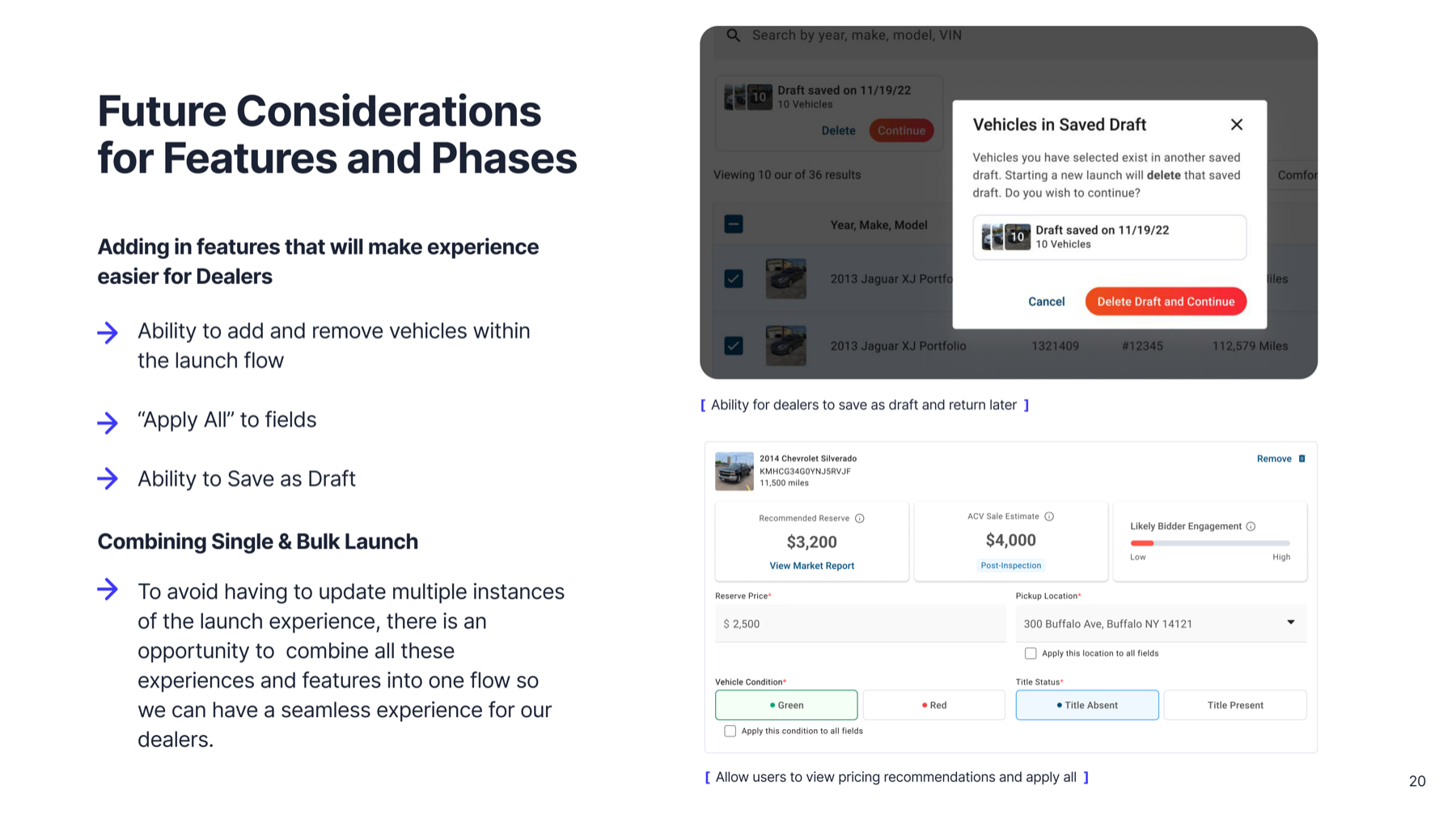
Apply across the whole set.
- Apply pickup location, condition, and pricing to every selected vehicle
- Recommended reserve and a market-report link, inline
- Per-vehicle overrides where a car needs special handling
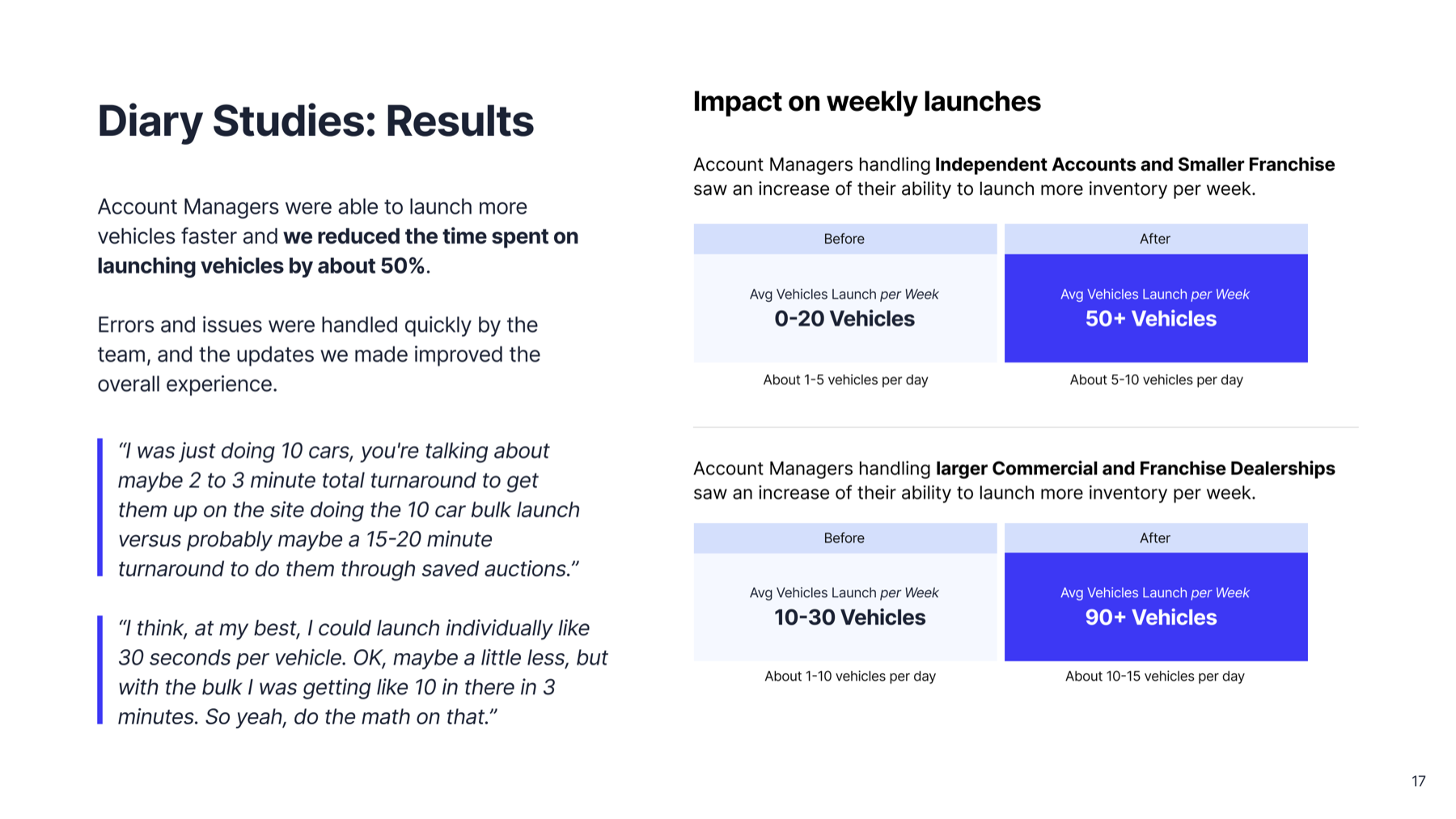
Measured impact · 5-day diary study
We launched more, in less time.
“I was just doing 10 cars — you’re talking maybe a 2–3 minute turnaround with the bulk launch, versus 15–20 minutes through saved auctions.”
Many cars. One launch.
Select the set, set it once, and send it to auction — so the team can sell instead of click.